Monday, 24 May 2010

Podcasting and Vodcasting: what's it all about?

As the University is going to introduce iTunes U, I thought it appropriate to write a piece on Podcasts and Vodcasts in preparation.

What are they?
Podcasts and Vodcasts (Video Podcast) are essentially any audio and or video media files that can be accessed on the web or loaded onto portable devices. They are typically used (in academia) to communicate factual information.

Any good for teaching and learning?
Yes, if done properly, students could listen to relevant audio and or video that link into their programmes and modules. Think of them as audio books and or video documentaries to aid and enhance learning.

What devices can play podcast and vodcasts?
Commonly termed the ('pod'-[broad]cast) were originally named after the Apple iPod. These days they can be played on most MP3 players (digital audio players), portable video devices or even mobile phones with built in player capabilities.

How do I create my own?
There is plenty of software on the web that allows users to create audio and or video content. Software however costs money, something that academia does not always have. Freely available software goes someway to solving this problem. Here is a brief list of possibilities (for MS Windows users):

Audio: Microsoft (MS) Sound Recorder (it comes with your (XP) operating system). Want more sophistication? What about Audacity (with a decent microphone simply record your voice and edit the bits out you don't like.)
Video: A webcam, camcorder or equivalent electronic device could be used to capture the video, but what next, what about the editing? How about Microsoft (MS) Movie Maker (it comes with your operating system, its free and allows simple video editing)

How do I prepare these for Podcasts or Vodcasts?
This is probably the trickiest part for most. Essentially, Podcasts created as MP3s and Vodcasts created in MP4 are compatible with iTunes. So we have two problems, the out put from MS Sound Recoder is in WAV format and MS movie maker creates files in AVI format, which is not compatible. These need to be converted into either .mov or .MP4 formats (to name a couple) which are compatible with iTunes.
I have stumbled over a simple one click solution that processes videos or audio very quickly. Im still testing this myself at the moment, so try these with care. The software is from the 'One-Click Video Converter Series' from Polaris-Software.com. Similar to other one click solutions on the web, but so far this seems to be the easiest (free) ones to use. Download either the 'Free WAV to MP3 Converter' and or 'One-Click Video to MP4 Converter', install (ignore any website pop-up adverts) Add the video file or sound (to the respective software) and select convert - it chugs away and creates an MP3 or MP4, that's it!

What about online editors? (updated content)
There are other ways to edit, YouTube includes a simple editing facility. There is also an option to set your videos to private, so you can edit in your own time. Completed videos can then be downloaded in MP4 so its in the right format for use on iTunes or even portable devices that support this format! All your editing and converting is done in a web browser, the editor is very basic but it allows simple drop and drag of each video you have uploaded, to make one single video. I think ultimately, software such as MS Movioe Maker could be used to create the video (podcast) and YouTube a way of converting to MP4.

Wednesday, 12 May 2010

Technology Enhanced Learning (TEL) Showcase Day

The TEL Showcase day is drawing closer!
Are you are a member of University staff or from a UPC partner college? Then this is for you!

When?
16th June 2010

What's it all about?
It includes debate; improving teaching and learning for staff and students; sharing ideas and experiences; and a number of talks and demonstrations of the technologies used at Plymouth University.

There is a great line up and we will have a number academics talking about their own experiences of putting learning technologies into practice. Here is the programme.

How do I register?
Please register now even if you have an inkling that you might like to go!

If you feel that you have any TEL experiences you would like to share please do not hesitate and contact francoise.metay@plymouth.ac.uk now.

Hope to see you all there!
Image by Mark Lyndon.

Friday, 7 May 2010

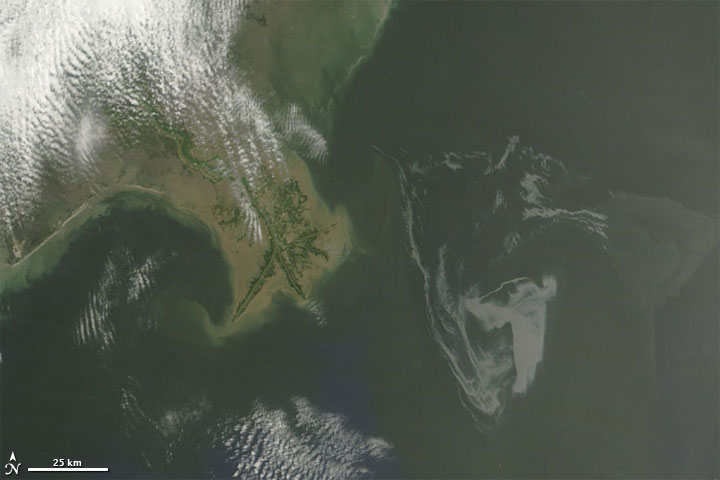
Follow the Gulf of Mexico Oil Spill in Google Earth / Map

I thought I would throw in this post for all those interested in environmental impact/monitoring. Google has put up a very good resource on the Gulf of Mexico Oil Spill showing both satellite and drawn imagery on the various stages of the oil spill. It allows users to interactively view elements. Even showing fishing boundaries and how the spill is overlapping those.

It's possible to view this event within a web browser using the more commonly known Google Maps based interface. Those that want more flexibility viewing items may prefer to download files that can be opened in Google Earth these are also available from the oil spill map site.

Just a quick tip, don't forget to turn on the Terrain layer (as shown below). This will give you a near real life interpretation of the terrain.

For serious map users, I will mention that Google Earth Pro is available to university staff. Please register your request with IT support. When you have installed Google Earth Pro, I strongly recommend running the software, going to the help drop down menu in the interface and searching for updates to obtain the latest version.

Satellite image above courtesy of NASA

Wednesday, 21 April 2010

Higher Education Academy Evidence Based Practice Employability and Employee Learning Seminar Series

'Not reinventing the wheel but using the wheels to make a better vehicle: the use of Web 2.0 to enhance and support Foundation Degree students undertaking work-based learning.'

Hosted here at the University of Plymouth on Wednesday 19 May 2010 (11am to 3pm). Its FREE and lunch is included.

The seminar '...will examine new and emerging Web 2.0 technologies which have the potential to enhance and transform the learner experience and to develop the 21st century employability skills of communication, participation, networking and sharing.'

Is it suitable for me?
The seminar is aimed towards academic and professional staff in HE and HE in FE who would like to use easily employed Web 2.0 technologies to support learners in work-based learning.

Where do I sign up?
More details and registration and further details on the presenters on our TechnologyEnhancedLearning website.

Thursday, 15 April 2010

Quicktime VRs (QTVR) now works on Windows 7 64bit

Just an update on my post back in Novemeber 2009 about QTVRs not working in Windows 7 64 bit. It took a long while for Apple to fix this bug, but it looks like the latest update to quicktime 7.6.6 now has QTVRs working on Window 7 64 bit. I must admit though, after this incident its probably best to stick with Flash based VRs in the future...

Friday, 9 April 2010

Plymouth eLearning Conference... 'To V or not to V? that is the question'

Another successful elearning conference here at Plymouth University! The venue was the famous Roland Levinsky building, providing the delegates with large lecture theatres and even a cinema! Each area had a dedicated PC with large screen showing the twitter feeds for #pelc10 coming through ...so far some very positive feedback on twitter. Thanks to Dominic Martignetti (Technical Director) for his efforts in organising this element of the conference (amongst all the other techy components of course! I know he work hard on this). On the point of thanks, we must not forget Mark Lyndon's efforts, creating another excellent conference website, with inclusion of his very creative imagery!

We had some very excellent key notes this year from Josie Fraser, Social and Educational Technologist and Dave White, University of Oxford. Professor Brian Chalkley, Director of Learning and Teaching, University of Plymouth, made some introductory remarks before Josie Fraser's presentation, emphasising the importance of Technology Enhanced Learning (TEL) at Plymouth and its impact on teaching and learning.

Josie presented digital literacy, identity & citizenship. Amusingly but quite poignantly in one part of her talk using the term: 'un-googleable man' a person that has essentially no digital footprint. This had me thinking, could such people actually exist in this technological age? Even if you have not EVER entered anything online, that does not stop others from doing so...Maybe you got a small mention in an online news article? Or published a journal article? Why not google yourself and see what you come up with... Chances are if you are reading this, you probably have some digital identity...

Dave White's talk included elements from the TALL blog (The TALL group is part of the Department for Continuing Education at the University of Oxford). Dave also mentions his technological transition from the Co-Digital to the Post-Digital diagram, and further linking this to: 'The Hierarchy Of Digital Distractions' (select the plain diagram to see the full pyramid) that was originally posted on informationisbeautiful.net. Thought provoking stuff indeed.

Shameful plug: I teamed up with Sally Holden, Luke McGowan and Paul Russell from the Peninsula College of Medicine & Dentistry, UK (based here in Plymouth University) to produce a talk entitled 'To V or not to V? that is the question' that included examples of our virtual development projects from both dentistry and the environmental sciences, to turn the session into a mini debate. Turning Point voting was also included to quiz the attendees.

More information on the conference is also provided on Steve Wheeler's blog (Conference Chair), also Mark Pannell , Mark Lyndon and Flea Palmer.

Some photos on flickr courtesy of Dawn Wheeler.

Thank you to all those involved both on the home and international organising committees. Looking forward to next years conference!

Wednesday, 7 April 2010

Sharepoint 2010 and Communicator 2007 are coming to Plymouth

I attended the SharePoint 2010 briefing where Mandy Goss outlined plans about the implimentation of SharePoint 2010 across the University.

What's happening with SharePoint?... These are the key points to remember:

  • tulip 2010/11 sites will be created using SharePoint 2010 these should be available for around the end of May 2010.

  • The new sites will be built without content using a new template

  • existing tulip 2009/10 sites will be retained until Christmas and then removed

  • The 3 year archive of tulip sites will no longer be available.

  • Student Portal front page and Mysites (including all staff MySites) will migrate to SP2010 around July 2010

What else?

  • Development is underway to create single-sign-on software (SSO), which means that from mid-May 2010, there will be SSO for all portal areas including Outlook Web Access no more typing in your passwords in different areas...

  • Office Communicator 2007 will roll out at the end of June, the Learning Technologists have been testing this software and there are some useful additional features.

  • Microsoft Office 2010 is still being evaluated so no plans for implementation just yet.

More information please!

Further details on Sharepoint and Office 2010 can be found on the Web Team Community. The actual PowerPoint that Mandy showed us can be found on the Web Team Community (Basic overview of Summer 2010 changes and developments) - username and password required to access these slides.

Are there any benefits to the new SharePoint?

  • In-page editing with WYSIWYG interface with an editing ribbon similar to the format in the existing Office products.

  • Fully customisable menu.

  • Social computing: tags, bookmarks, noticeboard (Similar to Facebook wall).

  • More themes and layouts (and easier to change layouts).

  • MS Office web apps (Similar to Google Docs)

  • Improved blogs and wikis

  • Collaborative MS Office documents (Similar to Google Docs)

  • Ability to work offline

Please also see the word document: What's new in Microsoft Sharepoint Server 2010

Tuesday, 30 March 2010

Ecosystems fieldcourse website goes live!

Very pleased to announce the completion of one of my projects, for the 1st year BIOL1101 Ecosystems Fieldcourse, working with Dr David Bilton. This website provides students information regarding fieldwork locations, group project and encourages them in 'asking questions in field biology'. This project overlaps with my role with the Experiential Learning CETL. Although the site is complete, future additions will include an interactive student poster development section, using examples of student posters from this years group projects.

Monday, 29 March 2010

Devon Great Consuls...Entering a new ERA (Enabling Remote Activity)


View Devon Great Consuls in a larger map


I visited Devon Great Consuls (near Tavistock, Devon) today with Dr John Maskall (University of Plymouth), Dr Trevor Collins (Open University/Knowledge Media Institute, JISC Portable VoWLAN project) and John Lea (JISC Portable VoWLAN project Consultant). This project is linked to the ERA (Enabling Remote Activity) project. More details about the Consuls can be found on the virtual tour.


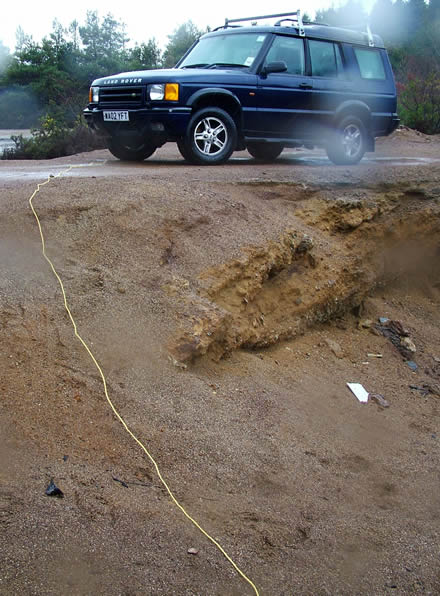
We were essentially testing Trevor's highly portable wireless communications network for use in the up and coming GEES conference in July (Geography, Earth and Environmental Sciences - Subject centre). Dr John Maskall teaches Environmental Science at this location and wanted to utilise some technology to aid learning and enhance accessibility. In the photos above (left to right): Plymouth University SoGEES's Land Rover - note network cable which was trailing to the antenna, Trevor (yellow safety jacket) and John Maskall who is wearing the communication headset. John Lea, was briefly enjoying the dry of the Land Rover, but not for long... Yes it was raining, but this did not spoil the experience! And before you ask, yes I had a go too and we all got soaked - in full weather gear or course ;)

Trevor and John Lea's set up consists of a home WiFi, network switch, batteries galore! loads of network cables, antenna, digital camera, video camera and number of portable Asus Eee PCs...

One of these PCs is used as a server, and the other two as clients. Both clients are used to communicate between the based server (in this case, one in the Land Rover). The 'roaming client PC' (Photo left: rucksack on John Maskall's back) communicates voice, and in addition digital photographs and video to the other user in the Land Rover. For the techys reading this, there are more details on the equipment and software used on the ERA wiki!

What struck John M and I immediately was how smooth the video and clear the voice communication was. (Photo right: video showing an Asus Eee PC - network cables dangling) The only real issues on this day were the occasional WiFi blind spot and keeping the lens free from rain! But this is exactly why its important to field test technology so we could iron out the bugs and improve for future deployment.


The antenna is shown on the far left (Photo left) with an additional fixed WiFi IP camera on the right (Photo left) which was displaying the whole of the consuls continuously. The blue bag actually contains the battery. Note that the yellow cable is the one trailing to the Land Rover which of course connects to the server within.

This antenna is the main communication link with the roaming unit (in this case John Maskall) No pun intended John... Considering that the main equipment is predominantly home WiFi equipment, it was extremely effective.
John Maskall was able to talk about the site while showing video, and I was able to also ask John to look at or describe specific items on the site as he roamed. I think you can start to see the benefits of such a setup.

I should explain that the Google 'My Map' above shows the areas in which we tested the unit (red lines) and the points are merely points of interest. Point 15 (blue flag) is where the antenna was located. The little blue truck is where the Land Rover was placed. You will need to zoom ('+') on the map near the very top points to view the icons clearly.

All in all an excellent day in the field, many thanks to Trevor and John Lea for making this a successful day and letting John Maskall and I really test the equipment to its full!

Trevor has posted more photos and a video on his blog.

Thursday, 18 March 2010

The TEL Teams first newsletter!

The first TEL newsletter has arrived! :D Most of you in UoP should have received this, but if you didn't please contact the team on TEL@plymouth.ac.uk.

Notable additions include:
*Central TEL Team drop in facility (Room 105, 3 Endsleigh Place), Please contact for bookings.
*How to compress images in PowerPoint!
*What's a podcast?
*Xerte - a new system to create your own TEL the easy way!
*Student in class voting system - TurningPoint.

Working with Joan Gavin (Learning Technologist) I knocked together this video showing the Student Voting system in action (Link also available on TEL newsletter!):


Thanks also to Sid White (Learning Technologist) for equipment loans! Plus Dr Shirley Atkinson and students featured in this demo.