Showing posts with label teaching and learning. Show all posts

Friday, 29 September 2023

TEF Gold for University of Plymouth and The Plymouth Student Scientist e-journal

I'm pleased to share that the University of Plymouth has been awarded TEF Gold, a remarkable achievement and fantastic news for everyone involved. Basically, we are a top inistitution compared with other univerisities in the UK when it comes to teaching, in every respect. For those interested in the finer details, you can obtain the summary document from the Office for Students here.

Additionally, I was also excited to discover that The Plymouth Student Scientist e-journal (tpss.plymouth.ac.uk) played a small but significant role in this accomplishment, a journal I run to showcase and publish excellent undergraduate Science, Technology, Engineering, and Mathematics research. I have to say a big thank you to all the fantastic students and supervisors who contribute to the journal each year! Apparently the Office for Students recognised it as an outstanding contributor/component to student learning and research (Office for Students, 2023). 

Office for Students (2023) Provider's outcome summary - Teaching Excellence Framework: University of Plymouth summary TEF 2023 panel statement document. Available at:  https://tef2023.officeforstudents.org.uk/open-ancillary/?id=f6e163d1-5089ee11-be36-0022481b538a&finaloutcome=29a4f83e-9d53-ee11-be6f-0022481b5c73 (Accessed: 29/9/2023).

Wednesday, 30 July 2014

Workshop introductions


Working with my colleague Rob Stillwell (Senior Learning Technologist), we have produced a series of introductory videos for ASTI (Academic Support Technology and Innovation) workshops that have been developed by the team.  These are very short around ~1 minute just to give a taster of what can be expected. These now appear, embedded within the workshop pages, as an example please feel free to visit the More with Moodle workshop page.  This workshop provides advance pedagogic benefits of using Moodle. The video also appears on internal Moodle course pages related to those workshops.

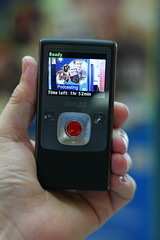
These were filmed using DSLRs, external sound recorder and LED lighting.

Saturday, 26 April 2014

Paper: Enhancing student induction to Library and IT services in Higher Education

Collaborative development,
dissemination and student interaction
I have had the pleasure of working on an exciting project with colleagues within ASTI (Academic Support Technology and Innovation), which resulted in a journal publication.

Part of this project was devising a means of making induction more exciting for the participants. One approach used to increase student involvement was to create a game within the induction presentation inside PowerPoint, so initial contact would be much more exciting for attendees. This was based on the BBC show 'Pointless', although in this case, very much angled to University services and support specific questions (Special thank you to the BBC for giving the University permission to adapt their game show idea in this project). Thanks also extends to the ASTI team collaborators involved in the development work for this project.  The digram to the left gives a visual description of how this works.

The co-written paper with my colleague Julie Moody (Information Specialist -Health, Education and Languages) is available from the journal of Innovative Practice in Higher Education, which also details this process and looks at feedback from the students:

MOODY, J. & TRUSCOTT, J. 2014. Enhancing student induction to library and IT services in higher education. Innovative Practice in Higher Education, 2.

UPDATE: similar processes are now being implemented in 5 external institutions.

Saturday, 22 March 2014

Teaching Fellowship: 'Getting Podcasting Right for Students and their Learning'

IMG_5527
Podcasting for learning
Very pleased to have been awarded a University Teaching Fellowship (Plymouth University), with colleagues from the Faculty of Science and Environment: Dr Martin Lavelle; Dr Carrie Headlam; Dr Paul Hewson and Prof David McMullan. Congratulations to you all! I look forward to working with you more closely in this very exciting fellowship.

The work will involve research and development in the use of podcasting for students in the School of Computing and Mathematics, looking specifically at what really works well for our students. We also welcome our critical friend Dr Karen Gresty (Associate Dean for the Faculty).  Implementing use of the new DLE (Digital Learning Environment) at Plymouth with Moodle as the central modular learning platform.

Tuesday, 22 October 2013

Publication: Video for Teaching and Learning

Just completed, published and printed an ASTI (Academic Support, Technology and Innovation) guide I have been working on to help Plymouth University staff get started in the use of video for teaching and learning.  I've been using video since my early teens and was very pleased to be able to share some of this knowledge while writing this guide.

This 4 pager takes the reader through the stages of video production, pitfalls and includes tips on how to get the best out of their videos. The photos in this publication were taken by me and include an image of Prof Iain Stewart (Geology) with his students on field location, the laboratory photographs are of some equipment used by Dr Roy Lowry (Chemistry) in his own productions for a range of video podcasts that he uses for pre-laboratory work with his students. I was very pleased to have been a supporting member of staff for Roy as part of his Teaching Fellowship. Thank you to Flea Palmer for letting me also use a picture of her on the front cover!

This guide is also used to complement a hands on video workshop run by the learning technologist.

Tuesday, 14 August 2012

Recording environments and microphones

Microphone image
I get asked from time to time what microphones should I use for recording podcasts, instructional videos or simply capturing a voice during a PowerPoint presentation.  Sound is probably one of the trickier elements to get right.  If the quality of the sound is poor, then it can make listening uncomfortable or not very enjoyable for the listener.  Most mid range microphones can produce very good sound, where most of the problems originate is the environment, and how the microphone is connected to the recording equipment (in these examples - a PC).

A few considerations:
  1. Get a good microphone Don't be a cheapskate on this one... else you could spend hours of your time on re-recordings - Ill provide some more details on why later in this post.  
  2. Invest in an anti-pop filter - this gets rid of the 'puffing' sound, caused by wind movement when very close to the microphone.  A decent 6 inch one will only set you back around £12+ always check the reviews.
  3. Be consistent with your environment - different rooms will have different sound reflections - for example rooms that have more carpet are less likely to echo. Get into the habit of positioning the microphone at the same distance from your mouth. There is also a lot of noise coming from PC cooling fans, if you have a window open (next to a busy road) or noisy corridor, its often difficult to escape. Find a quiet place or even invest in a portable sound boothbuild your own or if you have a big budget, go for a Vocal Booth (which is a self contained unit with audio damping).  Yes, I know they look silly, but it helps cut out the background noise behind the microphone.  It really boils down to how seriously you take your audio.
  4. Monitor, USB mouse and Keyboard extension cables - I don't hear this mentioned often, but if you want to keep the computer noise at bay, why not get some 3-4 metre extension cables for the PC - maybe a separate monitor if you are using a laptop.   This allows you to place the microphone far enough away from noisy computer fans. (Typical PC setups will require a Monitor extension cable - a USB cable for the keyboard and and USB cable for the mouse - check the monitor plugs for the types you need.) - N.B. extending the length of your microphone lead will introduce noise - ensure you choose high quality cabling. If it reaches with the standard length it's probably best to stick with that!

What is a decent microphone?

Pop filter - they're big but work well!
For most things (voice in particular) you are likely to end up spending at least £80+ on a decent condensing microphone.  Condensing microphones capture the natural timbre in peoples voices and capture the most naturally sounding audio.  However, as most of us record via our personal computers there are a few things to consider:

  1. On-board sound card using standard (3.5mm plug) microphones - you may find that your sound card is not up to the job.  It is probably capable of fairly good sound, but can lack detail if using cheap microphones (N.B. the pros use XLR connectivity for best sound which is lacking on all standard PCs!), depending on your operating system, you also may have a battle with software volume controls and microphone boosts to get it sounding reasonable.
  2. USB microphones  - these have their own built in sound cards - typically manufacturers have developed them to compensate for noise introduced via cables etc. Be careful, as not all of these are up to the quality you may expect.
  3. Lapel microphones, you are looking at a lot of money to get professional quality sound - its a trial an error game for the cheaper ones.
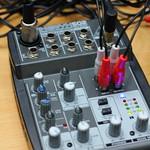
  4. Mixing benches (lots of knobs and dials) - these are good if you have multiple microphone set-ups allowing users to blend sounds (and provide pre amplification for professional microphones). However you have to ensure that you have a relatively noise free USB audio adaptor to introduce clean digitised audio into your PC,  or else all the benefits you get from the microphone are lost in noise introduce at the final stages. Top end sound cards with XLR plugs may work but they are expensive and can add extra levels of complexity.  Most people just want to plug in and record with out the trouble of multiple knobs and sliders to contend with. 
  5. Omnidirectional or Unidirectional (loosely speaking 'Cardioid') microphones?  Which ones?  Omnidirectional picks up sound from every direction, whereas Unidirectional only records from one direction (the front of the microphone, typically).  Omnidirectional tend to be more sensitive and you can expect ambient noise to be collected in huge quantities, whereas most unidirectional have the specific directional properties and are typically only usable between 4-10 inches from the mouth. Because of a lack of sensitivity behind the microphones (particularly Cardioid) they are less likely to pick up external noise directly behind them (N.B. using them the wrong way round makes them sound muffled). Unidirectional (Cardioid) are likely to be the best ones for use in office spaces with a decent sound booth.  Further details on the various types of microphones available on wikipedia - its vast - only if you're interested!
JISCDigital Media have a cracking article on USB microphones, with some setting up guides, worth a look. Here are the key facts:

·         The microphone connects to the computer USB port
·         Consistent sound across different systems
·         Plug and Play installation
·         Many USB mics have a headphone jack for monitoring
·         Many USB mics are optimised for voice

‘…In many cases settings are chosen with a particular use in mind, and many are optimised for voice recording. If your intended use is compatible with this preset factory set-up, a USB microphone can save you a lot of the time and knowledge needed for correct set-up, and will simplify the recording workflow. While there is a quality ‘ceiling' beyond which a USB microphone will not take you, it also presents very few opportunities to go wrong.’

The ceiling that JISC Digital Media refer to consists of a number of factors.  The biggest is that condensing microphones require their own pre-amplifier, the only way you get the power via a USB microphone is normally the USB port, you are then at the mercy of the quality of the power emanating from any given USB.  However, most companies worth their salt build in electronics to smooth out noisy power.  Its a case of try it and see - if you like what you hear, stick with it!

JISC Digital also include some audio examples in their article:


Hover over the various black markers to see which microphone they are testing (during audio playback it is possible to move the orange slider to those positions by dragging). Personally I was not impressed with the headset sound and some of the cheaper condensing microphones are a little hollow sounding (its all down to personal taste really).  The Blue Yeti, certainly provides some excellent sound in the JISC Digital Media review, although its design may lead to tricky clamping and positioning of a pop-filter (it's a minor quibble).

A few examples of good USB microphones (Always check the reviews before making the final decision!):
Remember that all the examples of audio recording provided for these microphones will only sound as good as the headset or speakers you are using to review them!

I'll quickly add that headphones such as the Sennheiser HD 202 Closed Back On-ear Stereo Headphone are relatively cheap (considering) but provide really excellent sound. If you dont like the look or design try looking through the reviews for other brands or more expensive versions.  I can recommend these as I have a pair. I was also pleased to see people like Steven Spielberg using them to review audio in a recent movie review - if its good enough for him... ;)

Happy microphone hunting...


Saturday, 17 March 2012

What are Learning Technologists?


Mobile learning applications
There are a number of materials available that point to what individuals and organisations consider a Learning Technologist to be.  I refer to examples such as: David Hopkins excellent blog post, the Association for Learning Technology (ALT) and articles like Shurville, Browne & Whitaker (2009)Shurville et al. 2009 paper is a very compelling look at the strategic importance of Educational Technologists (another term for Learning Technologists) within higher education (HE) contexts.


'...educational technologists have been in existence in HE for over 30 years...and professional practice has historical roots going back to the second world war and beyond...'   Shurville et al. 2009 p207 
Interestingly, ALT is not specifically directed towards learning technologists, but it's also about technologies in educational contexts, teachers and HE academic staff can also join ALT. Where Learning Technologists differ is that we are employed to be specialists in the field of learning technologies, to advise and train others and disseminated that new found knowledge to the wider community. ALT also go some way to defining what we do:
'Learning technologists are people who are actively involved in managing, researching, supporting or enabling learning with the use of learning technology.' (ALT, 2010
Notably, ALT members with significant knowledge and experience are now able to apply for professional status CMALT. This involves a large amount of reflection and evidencing within a focused portfolio of skills and working practices - we are gaining momentum as a strongly recognised field of expertise. Notably, Learning Technologists are considered, quite rightly by some to have similar importance to the academic staff they advise and support Shurville, Browne & Whitaker (2009). In this respect they are generally expected to have some form of teaching experience or qualification, often at post-graduate level, which enables us to better understand our clients and advise appropriately. Equally, having an understanding for the 'digital literacy' of people within these organisations and wider afield, plays a large part in this process of getting user and learner working with technologies appropriately (Plymouth University TEL, 2010Guardian, 2012a).

Are you IT support?
Podcasting
There is often much confusion on what we actually do as Learning Technologists, hence the subtitle: 'are you IT support?'.  The reality is that we all have a very difficult balancing act of developer-mediator-educator-technical job to perform.  Learning Technologists offer a range of specialist skills, which combine: teaching, project management, learning theory, educational development and knowledge in the use of any electronic equipment (I'll stress these are only technologies which are ethically deployable in teaching and learning contexts).  When I get asked what we do, I try to describe our role as educational developers with technology as a 'bolt on', I feel this is much more in keeping with other terms such as 'Educational Technologists' used in other institutions. Most of us are degree yielding fully qualified teachers/lecturers (from primary right up to higher education), often possessing qualifications in social/educational research and with professional qualifications in Learning Technologies, such as CMALT mentioned earlier. Having these combined skill sets allows us to properly understand how people learn in educational contexts and how the institution will benefit from our expertise, tailoring technologies in ways that enhance or improve learning. This often results in us discovering ways of enhancing teaching productivity (electronically) which we can then share with teaching staff.  In a sense I like to think of the 'e' term used in most acronyms to mean: enterprising, enhancing, education and electronic all at the same time.  It's because of this unusual middle ground of the traditionalist educational developers and digital expert that I think there is a lot of confusion towards our role.  

Fieldwork voting system
Geology students at Plymouth
Why does this happen? In a sense, and somewhat unusually, I find that the term 'technology' takes president over the term 'learning'.  Perhaps it's because we are adept at: using computer systems, creating software packages, programming or writing in mark up languages (HTML), able to programme mobile devices and explain and demonstrate these in layperson terms that your typical learning technologists are seen as handy IT specialists for quick fixes. Many times we get asked to fix problems with software and hardware which is outside the context of our role.  Granted we have these skill sets, but we need to use them specifically to understand how these technologies can be utilised in teaching and learning contexts.  Sometimes roles are blended, requiring a crossover. This is more likely in smaller institutions where learning technologists may be required to lean towards a more server side development with some support of University systems, however, they are still required to advise on learning technologies making it an even tougher job.  However, most of us are not actually meant to fix every broken component in the university fleet or software patch operating systems, we have IT system specialists for this purpose. Our relationship with IT system specialists predominately involves discussing the wants and needs for any given project with the view to establishing where any learning technologies can work within existing systems, thus allowing us to advise academic staff appropriately.

In reality, all of this background work is a means to achieving an electronic educational development: be it building a standalone virtual learning environment, building a component within that environment or working with staff to develop a technology enabled distance learning course. On a grander scale this may require us to perform a consultative/facilitative role, particularly when it is linked to a virtual learning environment (VLEs) development across faculty or potentially institution. Such processes usually involve Deans and Associate Deans at institutional level.


Fun with technologies?
It's just all fun and games, right?
We enjoy our work, but it's not just about playing with electronic toys (as some may think), fun as they are, it's also about evaluating technologies in the educational contexts they were intended. All this with the goal of providing evidence that they work and then disseminating this through meetings, conferences and journals to the wider teaching and learning communities. It's all about Technology Enhanced Learning (TEL) practice. A fair amount of this dissemination is achieved at Plymouth University through TEL days and Vice Chancellor teaching and learning conferences. There are of course other conferences around the world, ALT have their own annual conference and we even have the increasingly popular PELeCON (Plymouth e-learning conference) hosted on our campus yearly, for which I am a committee member. PELeCON boasts an international audience for learning technologies and educational learning theory. 

Dissemination
Take it from me, there is an incredible amount of research and development that goes into ensuring that technologies work appropriately in teaching and learning contexts!  The school of thought is generally that technologies should be transparent in their use.  For me (as others I'm sure), unless the learning is specifically about the technology, students should be thinking less about operating the devices/software and more about reaching their learning outcomes from using those technologies.
I have heard others coin the phase 'transparency', whether this is fully obtainable is open to debate, but there is no harm in trying. 
Where we can help is by enhancing digital learning environments with such things as training on podcasting (adaptable solutions), bespoke problem based learning software, employing virtual 3D learning environments or just simply advise on using simple formative digital tests that can be held on the institutions VLEs (to name a few...). It's all about the best ways to empowering academics to create the digital content they need in order to enrich the learning experiences for their students. substantial amount of the work in developing any learning technology is the content, as we often say: 'content is king', and it is up to us to advise others how these can be placed efficiently into digital learning platforms.  Ultimately it's the academics who posses the expertise in their disciplines, they are the content creators - we empower this process. However, when working in much larger projects, this may also involve building components or working out ways in which this can happen efficiently. This is certainly the case for one of my projects helping to develop and advise in the e-learning processes for the Hydrographic Academy (a distance learning solution for the marine industry). 

The future?
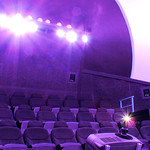
Immersive vision theatre
Plymouth University
The role of the learning technologist has always been surrounded by the constantly changing worlds of both digital technologies and educational theory, they are both inextricably linked, inseparable.  The benefits that our specialism brings to academia will continue to enhance learning in many enjoyable ways, technology is constantly changing, a fact proven across our modern history of development. The future is already here, and Universities that embrace educational technologies are becoming the true educational leaders (Guardian, 2012b).  Granted there will always be the traditionalist arguments towards teaching approaches and this can sometimes slow progress. However, rest assured, we are not about taking down sound theory and practice, we are about enhancing and matching this theory appropriately in new digital formats. We are also not about replacing teaching, we are about enhancing and providing wider opportunities. Certainly my own experiences show there is an incredible community of learning technology theorists and practitioners across the world, who are beginning to realise the importance of learning technologies and how vital our roles are to academia and beyond. With this, of course, comes a greater clarity as to the benefits to technology enhance learning, allowing us all to provide cutting edge digital learning environments for all our students to learn. 
Learning Technologists are the 'interface' between learning theory and technology, the ambassadors for the future of learning in the digital age, we can help shape the future of our institutions.

UPDATE - Since writing this blog article you maybe interested in the following paper in the context of the above:

FOX, O. & SUMNER, N. 2014. Analyzing the Roles, Activities, and Skills of Learning Technologists: A Case Study From City University London. American Journal of Distance Education, 28, 92-102.

Friday, 16 December 2011

Interface design: what's it all about?

I have produced a fair number of websites and interfaces in my career as a researcher, lecturer, developer and now Learning Technologist. It's an exciting process and I'm sure many interface designers will agree with the excitement of deploying a huge range of content, ideas and approaches to their final output. So I thought I would share some of my thought process on what to expect.

It goes without saying that content for teaching materials is vital! However, when it comes to design of the interface itself, all suggestions have to be taken into consideration, sensibly. For me a good designer takes the ideas from the client on-board and then sympathetically feeds back the disadvantages or benefits of those ideas, describing how they will best fit. The designer then goes away, researches, experiments with the concepts and content, thinking about how this affects the interface, make the necessary sympathetic tweaks to produce a final draft for their clients to view. There are of course times when content and interface are happening simultaneously, the positive is that the designer can help keep some consistency with the process as it unfolds.

It's all about the content...where is it?
On the topic of content (teaching materials), I often hear myself saying this to a lot to clients, "its all about the content" as we cannot built an effective interface without having or know what the content will be. There is also often a misconception that providing teaching content is easy. Scribble some ideas on a piece of paper and knock it all together on a computer, then throw in all the content "...it's the digital age, practically automatic these day..."...not really, its just a different approach to packaging content. We have to have a holistic grasp of appropriate electronic media and software, as well as the pedagogic. We may have to deploy different programming languages, building from scratch; or if we are lucky off the shelf packages that 'may' have some flexibility to allow for good design acumen. Granted there are some technological short cuts, but in reality it's a lot of hard work and head scratching to do it properly. From a learning technologist perspective, we have to think on many levels, its actually a project managing affair in its own right. After all, the interface is the pivotal source of information, if this does not work properly, how will anyone use the materials efficiently?

Mardi Gras
I find the juggling act really starts in the later stages, when sharing the final drafts of the design with the clients. There is often excitement and with this comes the clients need to bolt on some last minute additions to feel part of the final design. It's an unusual situation, of flattery combined with some stomach churning anguish regarding how it could affect the final design. What we have to be careful with at this point is that we are not damaging the original design concepts (which you have likely spent months researching), there is good reason for this. It's vital to maintain consistency in our design, ensuring that the final product does not end up like a 'Mardi Gras of content': very colourful, all singing and dancing but the end user is lost in the colours and noise. This is by no means to say that those ideas are daft or inappropriate, it is purely a case of establishing if they will all make comfortable bed fellows. The designer has to ensure that all the ideas and content flow together as coherently as possible, sometimes at the expense of loosing some of the clients inputs, but with the hope there are no red faces along the way. This is particularly important if the interface forms part of a wider 'identity' (be it corporate or educational). Does the client already have other websites, or existing teaching materials elsewhere, do they share some commonality, does the existing content need to be re-purposed? These all affect final designs. Sometime you have to use a pre-designed learning environment with very poor customisation tools or loads of 'lock-downs', in those cases you have to make do, it's up to us to intelligently add content and design ideas to somewhat match the complete vision.

What about the learning experiences?
Each part of a learning experience has to fit the intended audience, such as accessibility (can it be used with screen readers, will it be accessible in specific operating systems or software environments) and the usability, what about cross platform comparability, will the users actually be able to work with this interface in the way it was intended. Will the interface become a barrier to learning? Will any students be disadvantaged if certain functionality is unavailable to them? How will the different forms of formative study provide the grounding for their summative projects? The list goes on, it's not always easy to second guess the anticipated student use of such a system.

As we are essentially educational developers with technology 'plug-ins', we have to pull from both pedagogic and technological approaches to create the best learning environment. A lot of the initial designs can be used by studying other systems, researching pedagogic research papers on learning environments and of course the all important, student trials. This is probably the most important icing on the cake for learning technologists, try your interface with a small sample audience. See how it fairs... fingers crossed.

One thing is for sure, interface design is one of the many skill sets a Learning Technologist (LT) possess, it often amazes me just how multi-skilled we have to be. I hope this short piece gives you a taster of my own experiences, provides some insight to those wishing to design or to understand the role of an LT. Ultimately, user interface design is centralised project management, a lot of hard work, but often very rewarding! Happy designing :)

Monday, 12 December 2011

Tweaking and completing the Hydrographic Academy user interface

I finished tweaking the Hydrographic Academy (HA) user interface today YAY! (I confess to a few hours over the weekend too...).

Essentially the HA team had a meeting last week to discuss the content and layout of the final, thanks to all for their inputs and suggestions. I'm pleased to say that the final interface has been given the gold seal of approval by the team, so we are all feeling chuffed at completing in time for Christmas. I have to give a big thank you to the HA team, they are a terrific bunch of people to work with, and they have all contributed to making this interface work!

Monday, 31 October 2011

Finalised user interface for Mohive for Hydrographic Academy

I have been working on finalising the Mohive interface for the Hydrographic Academy. Taking over from my colleague Becki Vickerstaff to incorporate the HA logo and tweak some colours. Based on a template designed by Alan Payne from Fugro (UK), we wanted to recreate the theme and colours of the Academy's existing resources, such as the blog that I have developed. Deciding on HA blue for the top and bottom finishers, the top being slightly thicker to compensate for the strong impact of the logo. I think this makes the interface aesthetically pleasing, providing user with a comfortable balance. It is quite important that interfaces are kept relatively neutral so as not to detract from the learning content. The menu system also incorporates the HA blue in the partial and completed icons, as shown.

This Mohive interface will house the main teaching and learning elements, the remaining will be housed in a bespoke web browser based interface 'Learning Zone' that Im currently developing. Details of the Learning Zone will be discussed in later posts.

Friday, 7 October 2011

Hydrographic Surveying on Plymouth Sound - 7th October 2011

IMG_3363IMG_3281IMG_3282IMG_3283IMG_3284IMG_3285 IMG_3286IMG_3287IMG_3290IMG_3291IMG_3292IMG_3293 IMG_3294IMG_3295IMG_3296IMG_3297IMG_3298IMG_3299 IMG_3300IMG_3301IMG_3302IMG_3303IMG_3304IMG_3305
I took a few more pictures on another Hydrographic Surveying trip. This time on Plymouth University's own survey vessel the Falcon Spirit, courtesy of Dr Victor Abbott and students (thank you again all). The Learning Technologist team also came along to observe the learning experience. It was a short 2 hour round trip of Plymouth Sound, where students were taught how to use a Van Veen grab, a Shipek and a corer. I think the pictures speak for themselves...

Where did we go?

View Hydrographic Surveying - 7th Oct 2011 Plymouth Sound in a larger map

Tuesday, 4 October 2011

Students learn Hydrographic Surveying - 4th October 2011

IMG_3060IMG_3063IMG_3069IMG_3072IMG_3103IMG_3230 IMG_3158IMG_3168IMG_3145IMG_3013IMG_3014IMG_3015 IMG_3016IMG_3017IMG_3018IMG_3021IMG_3022IMG_3023 IMG_3024IMG_3025IMG_3026IMG_3027IMG_3028IMG_3029

I went down to Plymouth Hoe today with Dr Victor Abbott to take some photographs of his students (Plymouth University) learning land survey techniques. These photos will be used in both the Hydrographic Academy and Dr Abbott's teaching. It was quite clear that all involved were enjoying the experience. Thank you to Dr Abbott and students for allowing me to capture the day.

Where did we go?

This is a rough route, the Garmin GPS was inside a backpack throughout the day!


View Students on Plymouth Hoe in a larger map